



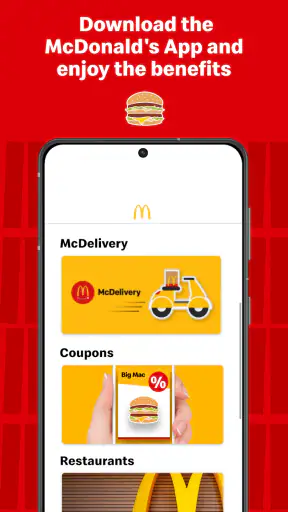
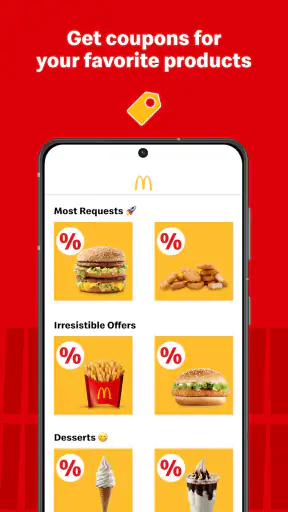
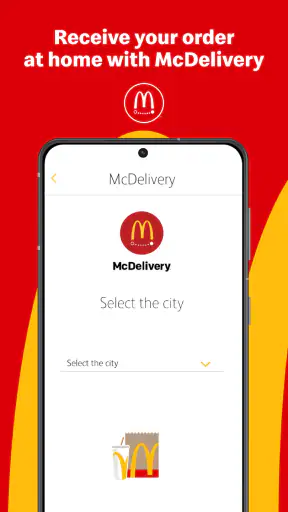
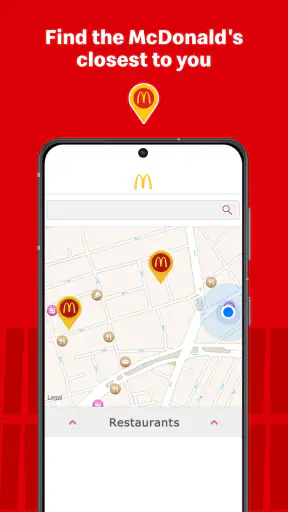
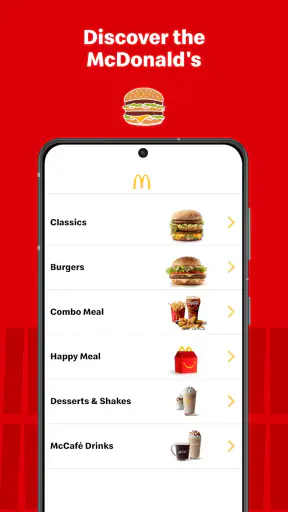
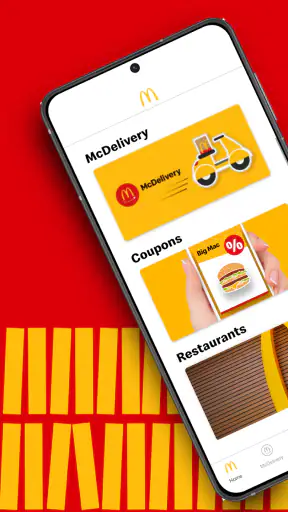
Ordering fast food from a phone sounds simple, but the first few minutes with a restaurant app can still feel confusing. McDonald’s: Cupons e Delivery is designed to put McDonald’s offers and delivery ordering in one place, and I found its main appeal quite clear: it can make a familiar meal easier to plan when I do not want to stand in line or search for a deal elsewhere. It is a free Food & Drink app from Arcos Dorados, aimed at everyone, with a strong focus on convenience rather than cooking, nutrition tracking, or restaurant discovery.
My overall impression is positive, especially for people who already order McDonald’s from time to time. The app has a 4.3 average from around 1.8 million ratings and has passed 100 million installs, so it is clearly a well-established part of many customers’ routines. Still, popularity does not make every order frictionless. The useful experience depends on choosing the right store, checking the offer details carefully, and reviewing the basket before confirming anything.
What to expect before placing your first order
The name suggests two connected purposes: coupons and delivery. In practice, I would approach it as a place to look for a suitable McDonald’s deal first and then decide whether delivery is the right way to receive it. That order matters. If I begin by choosing food without checking the available promotion, I may miss the part of the app that offers the most value.
The current store summary highlights Economéqui, a combo built around four items at a favorable price. I would treat that as a useful starting point rather than assuming it is automatically the best choice for every visit. A low-priced combo may be convenient for one person, while another customer may prefer a smaller order, a different combination, or a meal selected around a specific preference.
The app is not a general-purpose delivery marketplace. Its value comes from concentrating on McDonald’s menus, offers, and ordering flow. That makes it more focused than a broad delivery service, where I might compare several restaurants in one screen. On the other hand, the dedicated app can be the better option when I already know I want McDonald’s and would rather inspect its own offers than browse unrelated restaurants.
I would also keep expectations realistic about availability. A coupon or menu option is only useful if it can be used for the selected restaurant and ordering method. Store selection, delivery coverage, and local menu differences can affect what appears. The safest habit is to choose the relevant location early and read the details shown on the offer before building the rest of the order around it.
For a first-time user, the meaningful goal is not simply opening the app or scrolling through pictures. It is reaching a clear basket with the intended promotion applied, the correct delivery location selected, and the final order details understood. Once that becomes familiar, later orders feel much quicker.
Who will get the most from it
I think this app suits three kinds of users particularly well. First are regular McDonald’s customers who want a faster way to check current deals. Second are people ordering for a household, where comparing a combo with separate items can make the decision easier. Third are users who occasionally want delivery but do not want to install a broad marketplace just to order from one familiar chain.
It is less compelling if you rarely eat McDonald’s, prefer independent restaurants, or mainly want a service that compares delivery fees and menus across many businesses. In those cases, a general delivery app may offer a wider view. This app is at its strongest when the restaurant choice is already made.
Setting up the app without making the first order harder
After installing it, I would avoid rushing straight into menu browsing. The first useful step is to establish where the order should go and which restaurant is relevant. A delivery app can show attractive food choices, but they are not meaningful until the app knows the location and the available service for that area.
When the app asks for location-related information, I would enter it carefully rather than relying on a vague map position. Apartment numbers, building details, entrances, and other delivery instructions are the kind of small information that can matter more than the menu itself. A correct address also makes it easier to understand which delivery options are actually available.
Next, I would spend a moment looking through the offer area before adding items. This is one of the less obvious ways to save time: do not construct a full order first and only then hunt for a coupon. Starting with the promotion can prevent duplicate items and makes it easier to compare the advertised combo with a custom basket.
The app is free to install, which removes the usual barrier to trying it. That does not mean every order has the same final cost, so I would still inspect the basket summary closely. The important question is not only whether the food looks inexpensive, but whether the selected offer, delivery choice, and order contents match what I intended.
The application is marked for everyone, but that does not make every screen equally obvious to every user. A first-time customer may need to pause over unfamiliar icons, offer labels, or changes between browsing and checkout. I found that treating the screen as a sequence helps: choose the store, choose the offer or food, review the basket, then move toward delivery confirmation.
The quickest route to a first meaningful success
For my first successful action, I would choose a modest order rather than attempting a complicated meal for several people. A small test order makes it easier to verify that the selected location is correct, the intended coupon is active, and the basket behaves as expected. Once that path works, larger orders become less stressful because the basic flow is already familiar.
A practical example would be ordering lunch at home on a busy weekday. I would open the app before the break begins, check whether the Economéqui combo fits what I want, select the appropriate McDonald’s location, and review every item in the basket. If I am ordering for more than one person, I would compare the combo with adding individual items rather than assuming the promoted option is automatically the right quantity.
This comparison is especially useful when preferences differ. One person may want the complete combo, while another may not want every included item. In that situation, the convenience of a fixed offer can compete with the flexibility of a custom order. I would choose the promotion for simplicity and value only when its contents genuinely fit the people eating.
Before confirming, I would check the delivery address again and make sure the order method is still delivery rather than another collection option. I would also read the final summary instead of relying on memory from the menu screen. This last review is the best defense against selecting the wrong restaurant, overlooking an unwanted item, or assuming a coupon changed the basket when it did not.
My first-order rule is simple: never judge the deal until the final basket shows exactly what you expect. That habit is more valuable than memorizing where any individual button sits, because app layouts and local offers can change.
Where new users can become confused
The biggest source of confusion is the difference between seeing an offer and successfully applying it. A promotion can catch the eye while browsing, but the useful confirmation happens in the basket. I would not assume that tapping an offer has completed the process. I would look for the selected items and the resulting total before moving on.
Another common problem is treating the app as if every McDonald’s location has an identical menu. Local availability can affect the choices shown, and the selected restaurant matters to delivery. If an item or offer is missing, switching repeatedly between screens may not solve the problem. It is better to confirm the chosen location first and then reassess what is available there.
Users can also confuse a coupon-led order with an ordinary menu order. The two approaches serve different needs. A coupon is helpful when I am happy with its fixed contents. A normal menu order is better when I need substitutions, a particular item, or a meal assembled around different preferences. The app becomes easier to use once I stop expecting one route to behave exactly like the other.
Delivery timing is another area where I would avoid making assumptions. The app’s job is to guide the order, but the practical experience can depend on the restaurant and the destination. I would place an order with enough time rather than waiting until the last possible minute, especially when the meal is for several people or tied to a fixed break.
If the app feels crowded, I would narrow my task instead of exploring every section. Decide whether the immediate goal is finding a deal, repeating a familiar order, or checking delivery availability. That focus reduces unnecessary taps and helps a first-time user reach the important screen faster.
Useful habits for repeat orders
Once the first order is understood, the app becomes more useful as a routine tool. I would check offers before every order rather than assuming yesterday’s deal is still the best choice. The presence of a prominent promotion does not remove the need to compare its contents with what I actually want.
For group meals, I would write down the intended items before opening the app. This sounds basic, but it prevents the offer screen from driving the entire decision. A written list makes it easier to notice whether a combo covers everyone, whether separate items are necessary, and whether the basket contains accidental extras.
I would also use the final review as a planning tool. If the basket does not look right, I would fix it before progressing instead of hoping a later screen will clarify the issue. That approach is particularly helpful when ordering from a phone in a noisy environment, during a short work break, or while coordinating with someone else.
The app’s scale is reassuring for users who want a mainstream service. It has been available since March 27, 2017, and its current version is 4.36.0, which indicates an actively maintained product rather than a brand-new experiment. It requires an operating system version of 10 or later, so compatibility is the first technical check I would make before troubleshooting anything inside the app.
Those details also explain who should skip it temporarily. If the phone cannot run the required operating system, installing it will not solve the problem. If the app runs but the user wants restaurant comparison, grocery delivery, or independent local choices, the dedicated McDonald’s focus may feel restrictive rather than convenient.
My recommendation after using the whole path
I would recommend McDonald’s: Cupons e Delivery to someone who already knows they want McDonald’s and wants a direct way to check offers before ordering. Its strongest feature is not that it replaces every other food app; it is that it brings the chain’s deal-focused ordering experience closer to the moment when I decide what to eat.
The best first-time workflow is reassuringly short: set the destination, choose the relevant restaurant, inspect the available promotion, build a small test basket, and verify the final summary. That sequence avoids most avoidable mistakes and gives the user a clear success point before attempting a larger or more complicated order.
I would not choose it as my only food app if variety, cross-restaurant comparison, or broad delivery coverage matters more than McDonald’s-specific offers. A general marketplace can be more practical for comparing alternatives. But when the decision is already made, opening a broad marketplace can add noise, while this focused app keeps the task centered on one restaurant.
There are trade-offs: fixed combos may not suit every appetite, local availability can shape the menu, and a coupon still needs to be checked in the basket rather than trusted at a glance. Those are manageable limitations, not reasons to dismiss the app. They simply reward a careful checkout habit.
For me, the app works best as a repeatable shortcut rather than an exciting discovery tool. It is free, widely used, and focused on a familiar ordering need. If your first priority is finding a McDonald’s offer and arranging delivery without unnecessary browsing, McDonald’s: Cupons e Delivery is a sensible choice. If your priority is comparing the entire food-delivery market, I would use a broader service instead.


